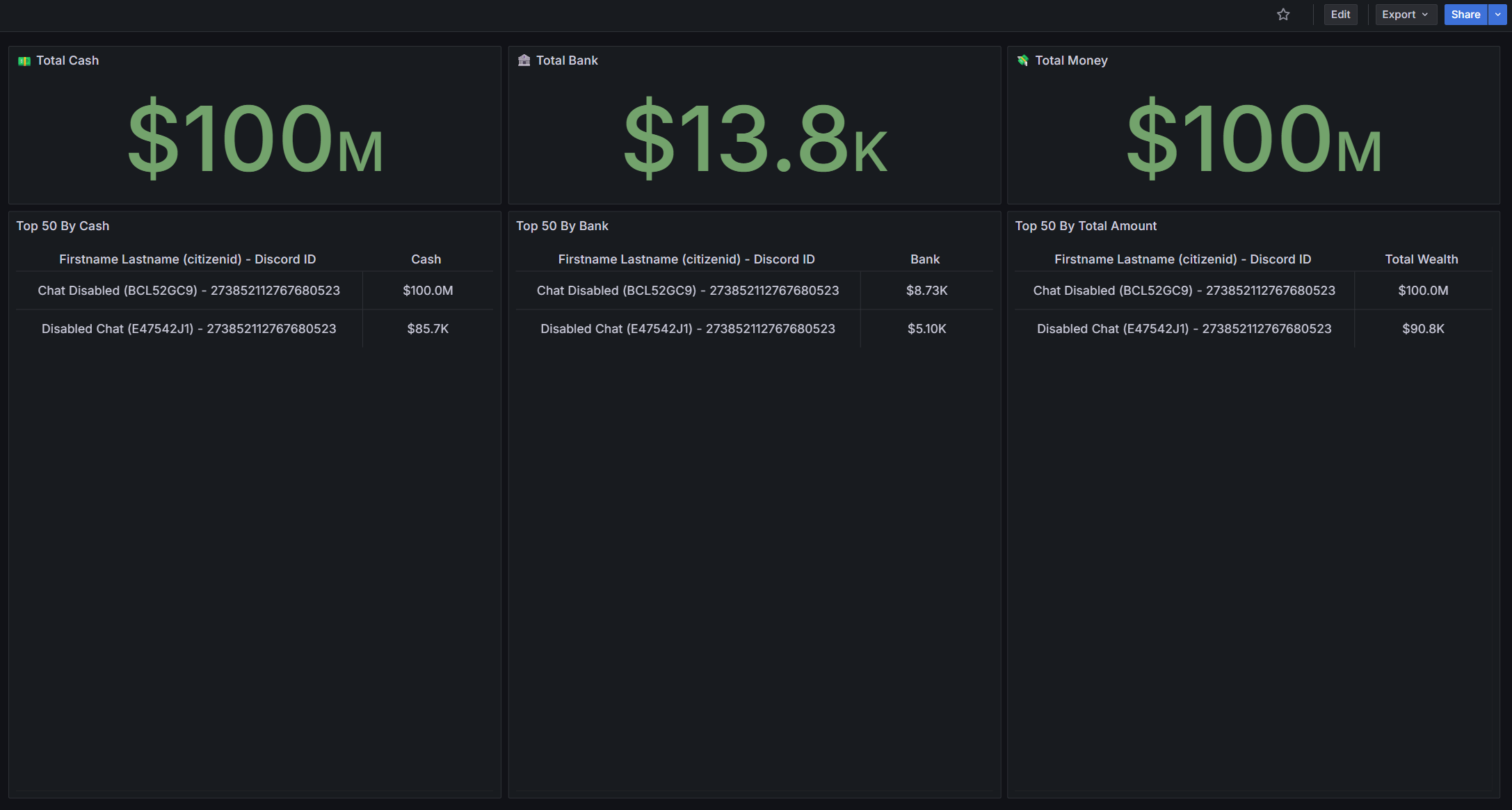
Database Visualization
Something else that Discord definitely can't do as a "logging service" is visualizing your database. Not only is knowing what happens in your game server super important, but also knowing what its current state is. Nobody can look at logs 24/7, so instead take a quick glimpse of the current state of your economy. Someone has an impossible amount of money? Inspect their logs further and act accordingly!
Setup
To set this up, please first follow this tutorial. It will explain how you can set up a proper MySQL user.
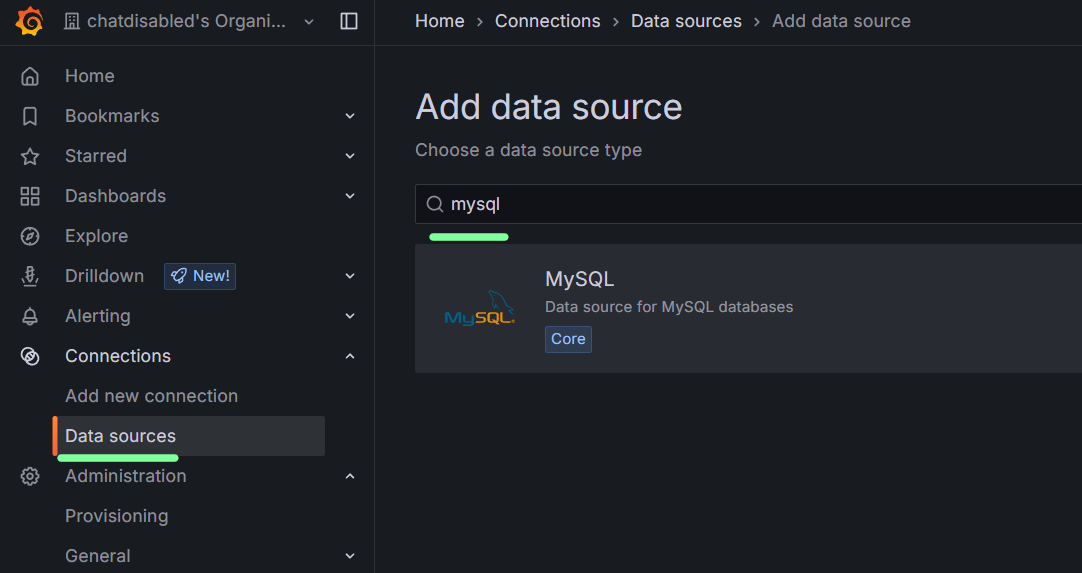
After that is done, we can add a new data source in your Grafana organization. Under Connections > Data sources, you will find an "Add New Data Source" button.
Once you click here, you can search for mysql and add the MySQL Data Source.
Here you can fill in your "host url" being your IP address, "Database name" can be qbox_d51d43, and then the username and password of the MySQL user you created when following our tutorial from before.
Examples
We have a few example dashboards which can be found at: https://github.com/Qbox-project/qbx_grafana_dashboard_examples
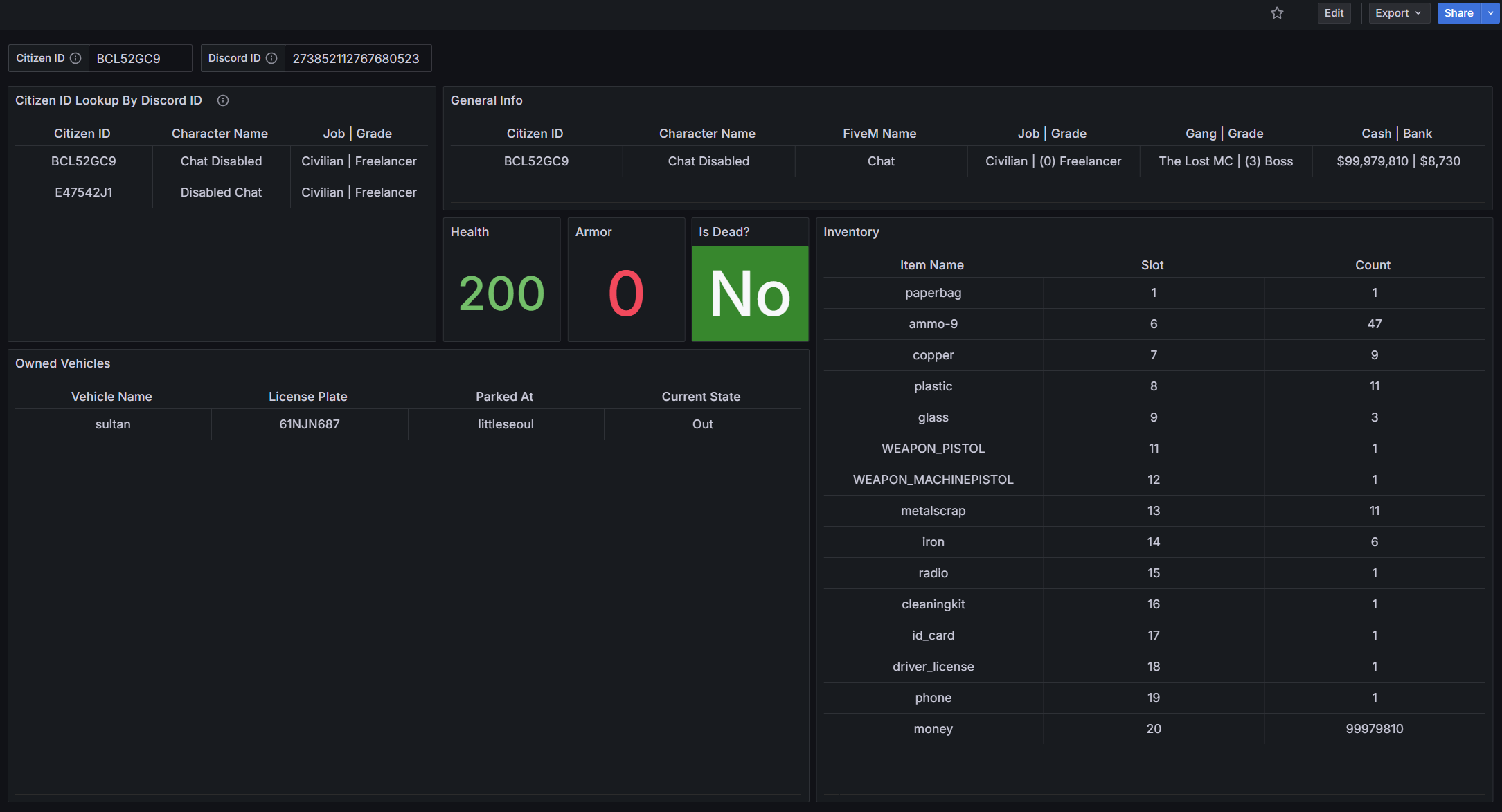
Player Lookup
A dashboard where you can lookup a character's information or find a player's characters through their Discord ID.
Wealth Leaderboard
A simple leaderboard to visualize your server's current economy