🌐 Nucleus
Nucleus is, at its core, a secure reverse proxy provided by Cfx.re for your FiveM server. It gives your server a license-key-linked web address that can be used, and was planned, for a plethora of things. You can read more about it in the official forum post announcing it. Unfortunately, 7 years later, after a whole ecosystem was built around it, Cfx.re deprecated the Nucleus links on June 30, 2026.
To keep supporting this ecosystem we offer a free alternative in the Qbox Dashboard. Nucleus is free on every plan.
Setup
Open the Nucleus page. On your first visit it shows Set up the Nucleus proxy. Fill in the Server details:
- Server IP: the public IP address of your FiveM server. Use a raw IPv4 or IPv6 address; hostnames are not accepted.
- Server port: the port FXServer listens on, 30120 by default.
Not sure which port your server uses? Check your server.cfg:
endpoint_add_tcp "0.0.0.0:30120"
endpoint_add_udp "0.0.0.0:30120"
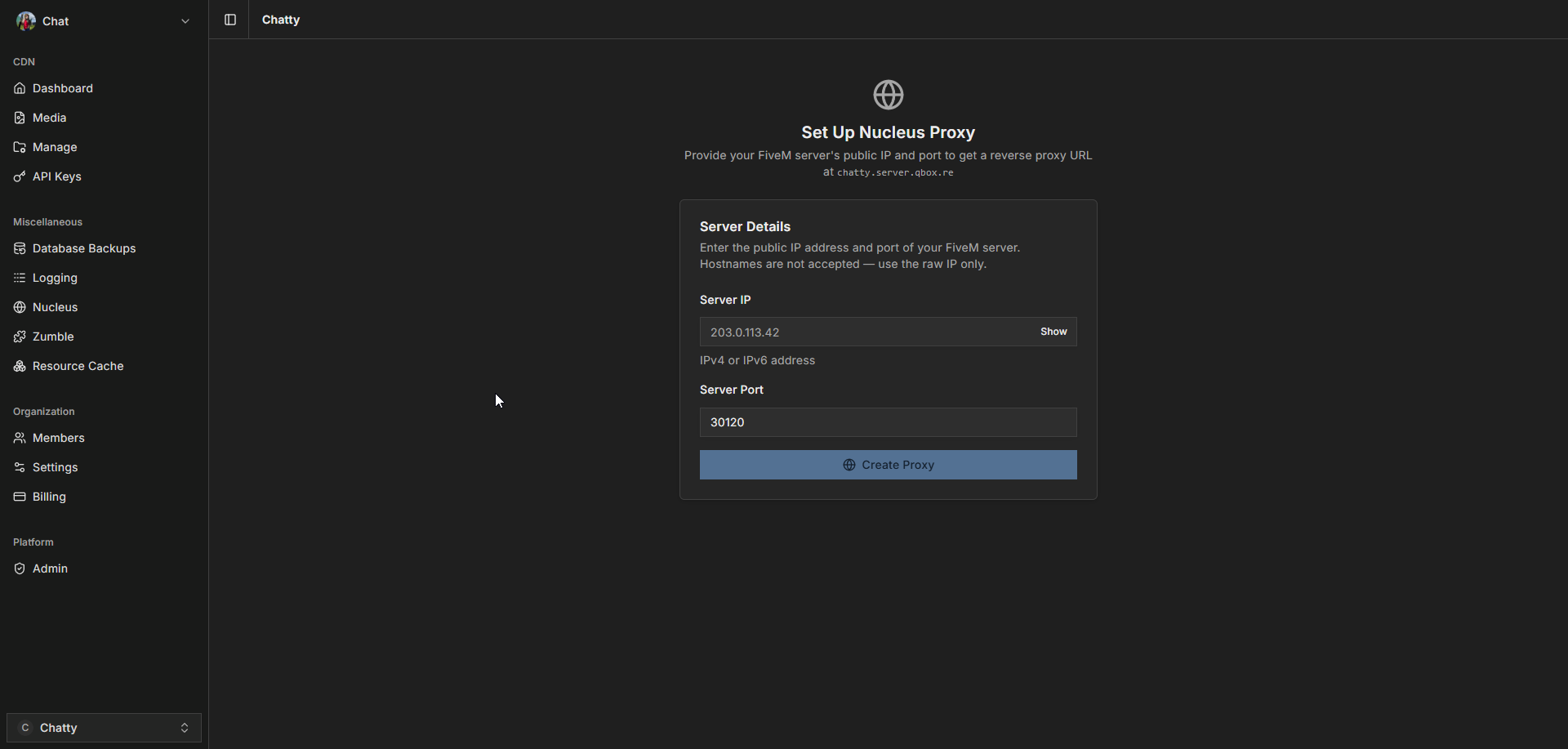
Press Create the proxy. The Proxy URL card then shows your Public URL, the Server config line, and the Connect URL.
Copy the Server config line into your server.cfg, for example:
set web_baseUrl "chatty.server.qbox.re"
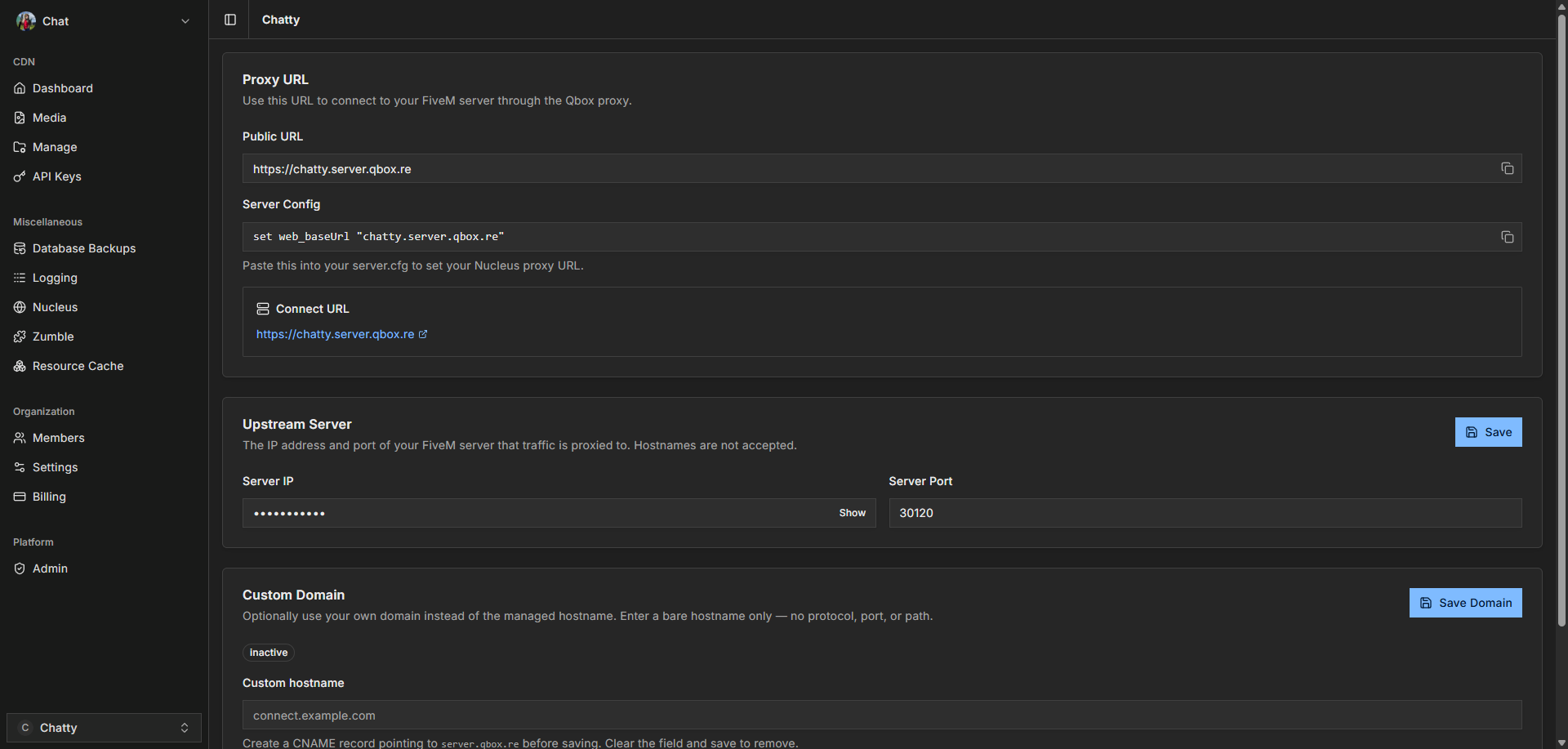
Now existing resources like lb-upload will keep working and serve content through the *.server.qbox.re provided url.
Changing the server address
If your server moves to a new IP or port, enter it in the Upstream server card and press Save upstream. Saving has a short cooldown. If you save too often, the button shows Please wait with a countdown.
Custom domain
You can serve the proxy from your own hostname, such as connect.example.com, instead of the server.qbox.re one.
- At your DNS provider, add a CNAME record for your hostname that points at
server.qbox.re. If your DNS is on Cloudflare, set the record to DNS only (grey cloud). - In the Custom domain card, enter the hostname in Custom hostname. Enter only the hostname, without
https://, a port, or a path. - Press Save domain. The dashboard shows the DNS record to add, in case you have not done it yet.
- Wait for the status next to Managed hostname to change to Active. This usually takes a few minutes.
- Once it is active, the Server config line switches to your domain. Copy the new
set web_baseUrlline into yourserver.cfg.
To remove your domain, clear Custom hostname and press Save domain.
Deleting the proxy
Press Delete proxy in the Danger zone card. This removes your proxy URL and all its routes, so your server is no longer reachable through it. It cannot be undone.
Nucleus is currently in public beta and is subject to change but not limited to: provided urls, limits, functionality, etc